Text customers from any Zendesk ticket.
Replies land on the same ticket as a private note. For Zendesk Support teams on Twilio.
Twenty-one seconds, text to ticket.
A reply lands as a private note, the agent sends from the sidebar, STOP is honoured, setup checks itself.
Three problems TextSend fixes
“Zendesk Text only works on tickets that started as a text.”
Agents can't switch an email or phone ticket to SMS, and Zendesk Text can't send MMS.
“Their reply lands on the wrong ticket, or a new one.”
Duplicate tickets get merged by hand.
“The apps that use our Twilio account charge per agent.”
Every new hire makes texting cost more.
Four steps to the first reply
- 01Install from the Zendesk MarketplaceThe 14-day trial starts on install. Billing runs through the Marketplace.
- 02Connect Twilio and enable numbersPaste your Account SID and auth token once. Choose which numbers agents may send from.
- 03Send from any ticketOpen a ticket, pick a destination and a sender, write the message (or, on Pro, insert a saved template), send.
- 04Read the reply on the same ticketThe customer's reply is matched to the conversation and posted on its ticket as a private note.Delivery status returns to the note it belongs to.
Send from the ticket, whatever channel it came in on
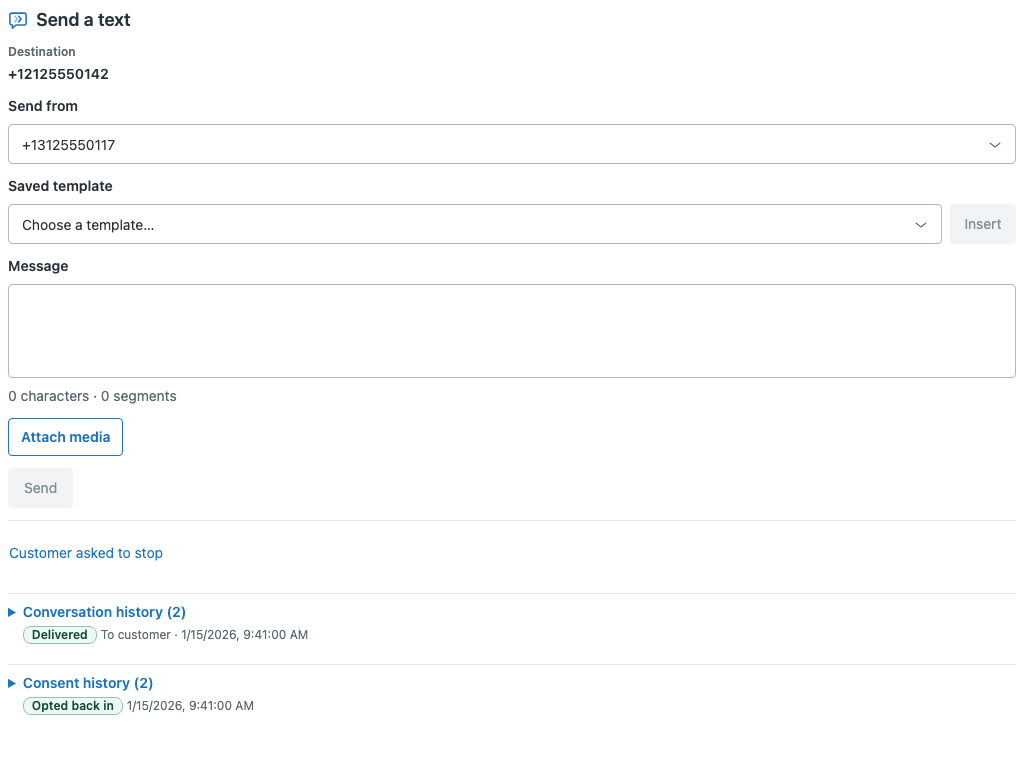
Pick a destination and a sending number, write the message or, on Pro, insert a saved template, attach media, send.
Character and segment counts are shown before you do. If the customer has asked to stop, the composer says so.
- Conversation and consent history on the same ticket
- Delivery status returns to the note it belongs to
- Ambiguous inbound matches are shown as a conflict, not guessed
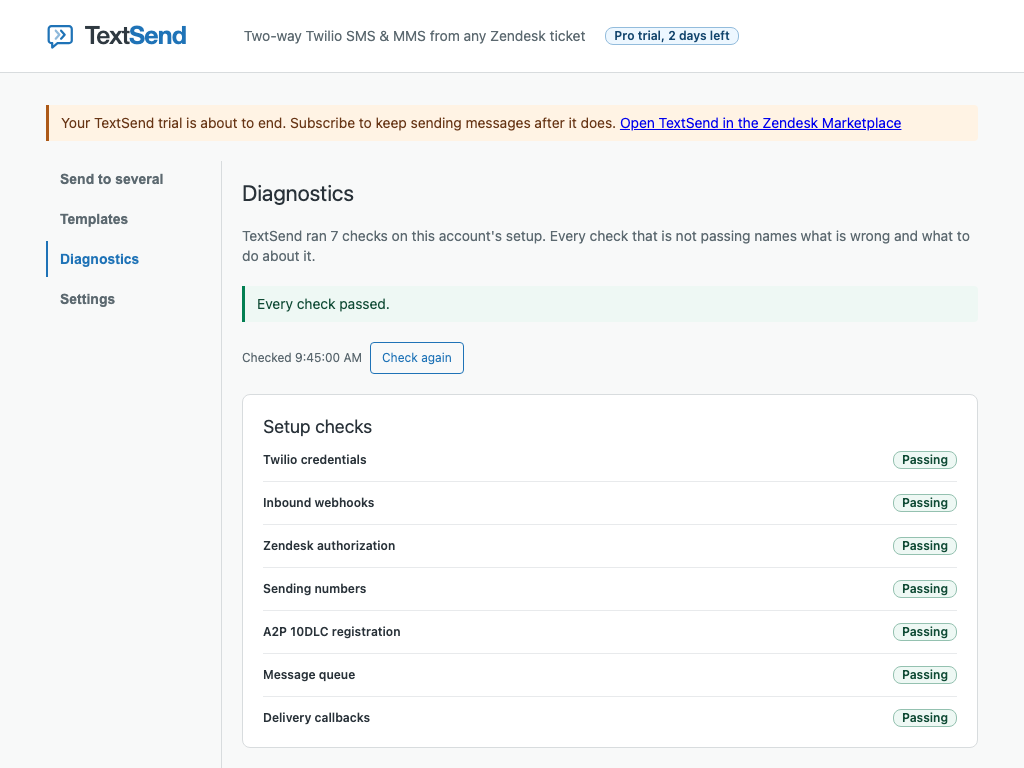
Connect your Twilio account once
Credentials are checked with Twilio when you enter them, stored server-side, and never returned to the browser.
Rotate them any time without reinstalling. Then choose which numbers agents may send from.
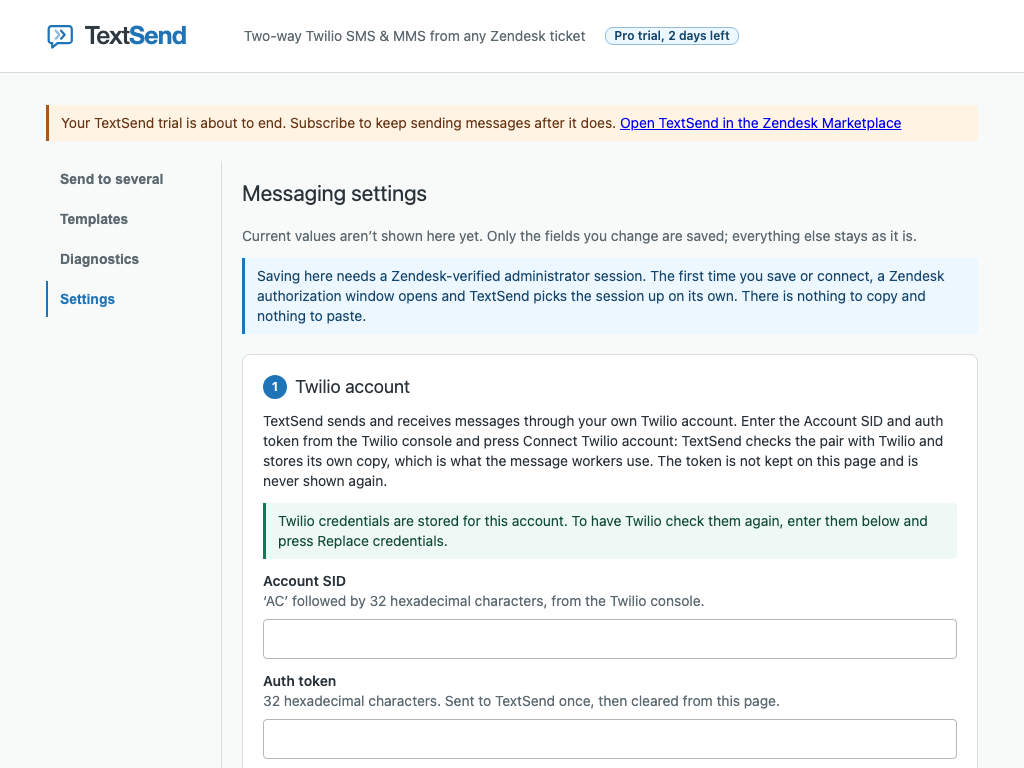
Seven setup checks, each with a fix
Credentials, inbound webhooks, Zendesk authorization, sending numbers, A2P 10DLC registration, the message queue and delivery callbacks.
A check that fails names what is wrong and what to do about it, with an error code you can look up in the docs.
What TextSend stores
- Message text
- None. The body goes onto the ticket, which is the record.
- MMS media
- Held for at most 24 hours.
- Phone numbers
- Encrypted operational metadata. Deleted with ticket references and delivery status within 30 days after deletion starts.
- Twilio credentials
- Held only in TextSend's secret store.Deleted when deletion starts: usually about a week (7 to 8 days) after the app is removed, always within 30 days of removal.
What we don't do
- Sell your data, or use it for advertising
- Train any model on it
- Keep message text after it reaches the ticket
- Send to a number that has texted STOP
- Return Twilio credentials to the browser, ever
Two plans. Every agent included.
- Up to 2 sending numbers
- Move a conversation to another ticket, with an audit note
- Unlimited agents
- Up to 15 sending numbers
- Everything in Starter
- Templates with variables
- Quiet hours
For 25 agents: per-agent SMS apps for Zendesk at $5 to $10 an agent run $125 to $250 a month.
TextSend is $49 on Starter or $99 on Pro, however many agents you add. Twilio bills message and number usage separately.
Full pricing and billing detailsQuestions
Do I need a Twilio account?
What counts as a sending number?
A Twilio number you have turned on in Settings for agents to send from.
A number you turn off after setup keeps receiving; a number never turned on isn't connected to TextSend.
What happens when a customer texts STOP?
A customer who texts STOP (or UNSUBSCRIBE, CANCEL, END or QUIT) gets no more texts from your TextSend numbers until they text START (or UNSTOP or YES). No setting is needed.
The opt-out is honoured before a send reaches Twilio, and the consent history is visible on the ticket.
How do I cancel?
Uninstall the app in Zendesk Admin Center: that is the cancellation Zendesk documents for a Marketplace subscription.
Billing stops according to the Zendesk Marketplace's own billing rules. Uninstalling also starts deletion on the schedule on the security page.
Your next customer who ignores email is one text away.
14-day free trial of the full Pro plan. During the trial, support's first reply comes within two business days, as on Starter.
On request within 14 days of the account's first charge, every charge from those days is refunded in full, together, once per account.
A charge made in error or duplicated is refunded at any time.
A refund other than to correct an error or a duplicate cancels the subscription; uninstall the app to stop further charges. Email support@textsend.app.